
Let’s be honest: WooCommerce SEO is a grind.
If you have 10 products, editing meta titles and descriptions is easy. But what happens when you have 100, 500, or 5,000? You end up in “Tab Hell”—opening product after product, scrolling down to the SEO meta box, typing, saving, and repeating.
I’ve been there. Recently, I had to optimize 130 identical pairs of shoes. After the 10th product, I wanted to throw my laptop out the window.
That’s why I built Bulk WP SEO AI. I needed a way to manage thousands of meta tags in minutes, not days. Here is how you can do the same.
The Problem: Why Manual SEO Kills Your Growth
Most SEO plugins (Yoast, Rank Math, etc.) are amazing at technical SEO, but their workflow for bulk editing is tedious. Your options are usually:
- Manual Edit: Hours of clicking and loading pages.
- CSV Exports: A messy process where one wrong cell can break your site’s formatting.
Neither of these solutions leverages the biggest advantage we have today: Artificial Intelligence.
The Solution: Bulk WP Meta Data Made Easy
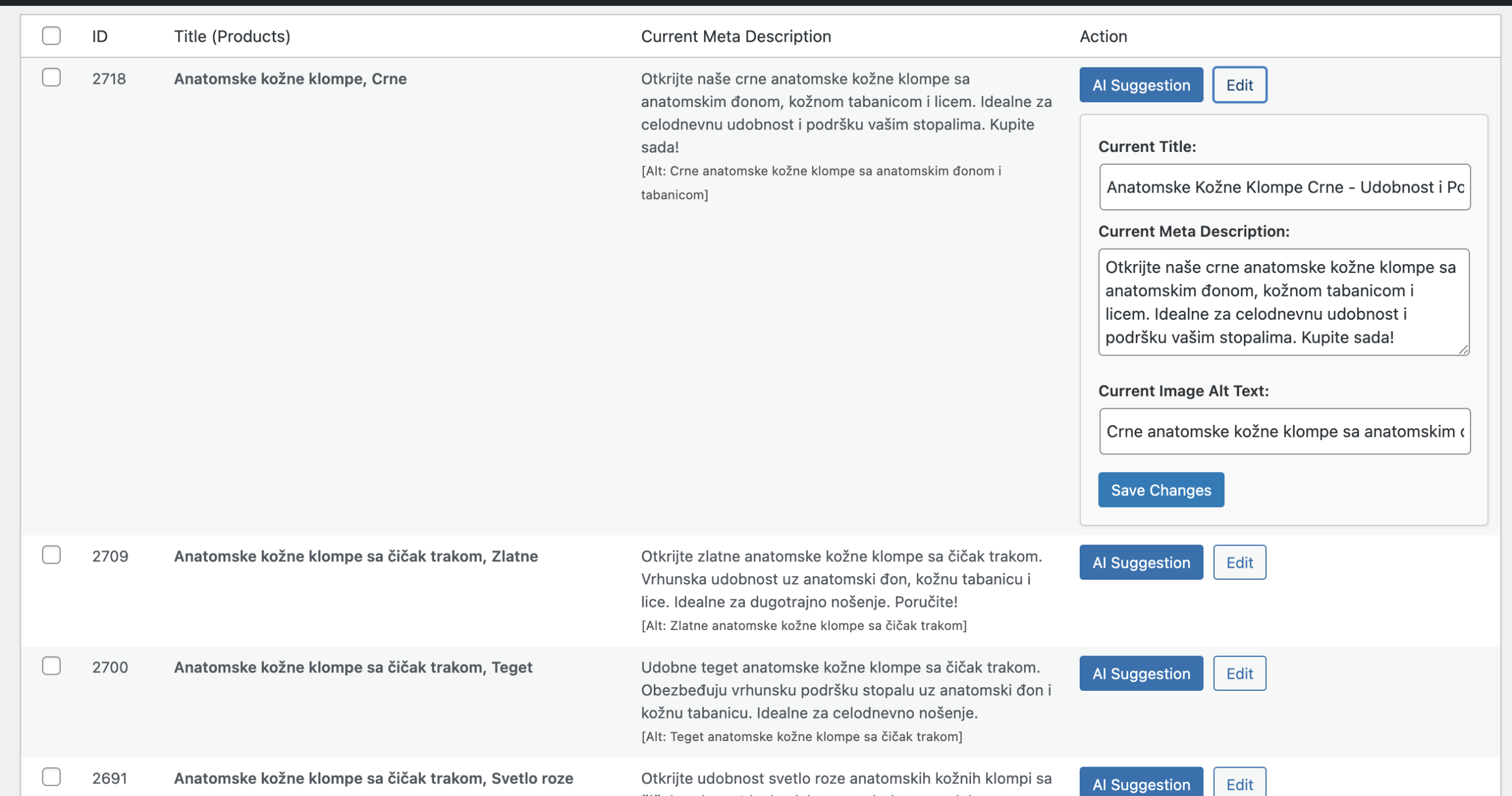
Instead of fighting with individual pages, imagine a single, spreadsheet-like dashboard where you can see your entire store at once.
Bulk WP SEO AI turns your WordPress admin into a high-speed command center. Here’s how it changes the game:
1. Everything on One Screen
No more switching tabs. Whether it’s Products, Posts, Pages, or Categories, everything is displayed in a clean, filterable table. You can spot missing meta descriptions in seconds.
2. AI-Powered Generations
We’ve integrated the latest AI models to do the thinking for you. Simply select the products you want to optimize, and the AI will generate unique, keyword-rich titles and descriptions based on your actual product data.
3. Full Integration with Your Favorite Plugins
You don’t have to switch your SEO provider. Our tool hooks directly into:
- Yoast SEO
- Rank Math
- SEOPress
- All in One SEO (AIOSEO)
- Standalone Mode: If you don’t use a dedicated SEO plugin, our tool works perfectly on its own, managing your site’s meta titles and descriptions natively.
How to Optimize 1,000 Posts in Minutes (Step-by-Step)
- Install the Plugin: Add Bulk WP SEO AI to your WordPress site.
- Open the Bulk Dashboard: Navigate to the “Bulk AI” menu.
- Select & Generate: Check the boxes for the products that need SEO love. Click “Generate with AI.”
- Review & Save: Watch as the AI populates the fields. Make any quick manual tweaks if needed, and hit Save All.
Why Speed Matters for SEO
Google loves fresh, unique content. If you have hundreds of products with “duplicate” or missing meta descriptions, you are leaving money on the table. By bulk-optimizing your site today, you:
- Increase CTR: Better titles mean more clicks from search results.
- Rank for Long-Tail Keywords: AI finds angles you might miss.
- Save Time: Take those 5 hours you would have spent on SEO and spend them on growing your business instead.
Ready to reclaim your time?
The dashboard and manual bulk-editing are free forever. If you want to experience the power of AI, I’m giving 5 free credits to every domain so you can see the results for yourself.
👉 Get started today at bulkwpseoai.com